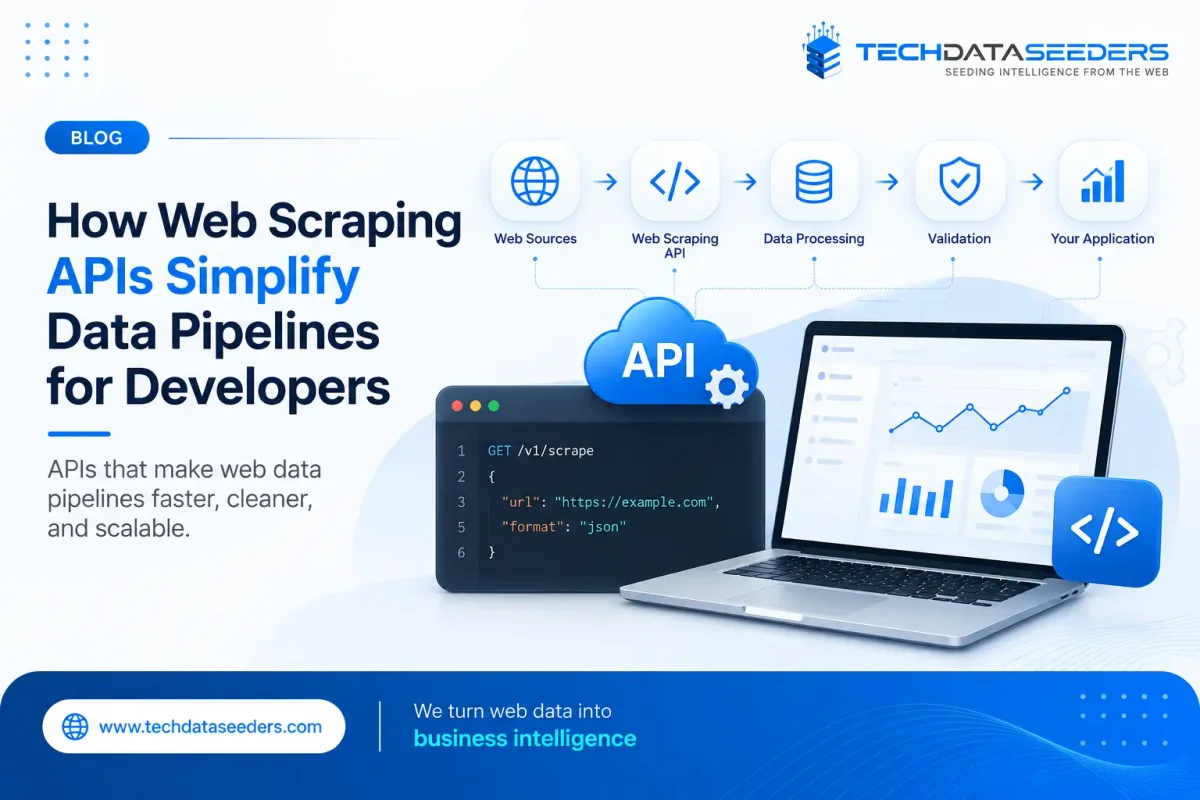
What Is a Web Scraping API?
A Web Scraping API is an application programming interface that allows developers to retrieve data from websites programmatically without having to build and manage the complete scraping infrastructure themselves.
Instead of writing separate scraping logic for every website, a developer can integrate an API into an existing application or data pipeline.
A typical workflow looks something like this:
Target Website → Web Scraping API → Data Processing → Application / Database / Analytics
Depending on the provider, the API may handle tasks such as:
- HTTP requests
- HTML retrieval
- JavaScript rendering
- Proxy management
- IP rotation
- Browser automation
- Request retries
- Data extraction
- Structured data delivery
The exact capabilities vary between providers, so developers should evaluate the API based on the complexity of their data requirements rather than choosing one simply because it has an API endpoint.
How Does a Web Scraper API Work?
A Web Scraper API generally acts as an intermediary between your application and the websites you want to collect data from.
For example, your application may send a request containing a target URL and extraction parameters. The API processes that request, accesses the target page, handles the required scraping logic, and returns the resulting content.
A simplified workflow is:
1. Your application sends a request.
2. The API receives the target URL and parameters.
3. The scraping infrastructure accesses the website.
4. JavaScript or browser-based rendering is used when required.
5. The relevant content is extracted.
6. The response is returned to your application.
7. Your application stores or processes the data.
This approach removes a significant amount of infrastructure from the developer's side.
Instead of worrying about every individual request, proxy configuration, browser session, or scraper failure, developers can interact with a consistent API layer.
Why Developers Use Scraping APIs in Data Pipelines
The biggest advantage of a scraping API is abstraction.
Developers don't necessarily need to know how every part of the underlying scraping infrastructure works. They can focus on what their application needs from the data.
Consider a price-monitoring application.
Without an API, the development team may need to build:
- Website-specific scrapers
- Proxy infrastructure
- Browser automation
- Retry mechanisms
- Parsing logic
- Monitoring
- Error handling
- Data validation
With an API-based approach, much of that functionality can sit behind a single integration layer.
This doesn't eliminate all development work. You still need to design your data pipeline, handle the returned data, validate business-critical fields, and manage storage.
But it can significantly reduce the amount of scraping-specific infrastructure your team needs to maintain.
Web Scraping API vs. Building a Scraper From Scratch
There is no single answer to whether an API or custom scraper is better.
It depends on your use case.
| Building In-House | Using a Web Scraping API |
|---|---|
| Full control over infrastructure | Faster integration |
| Greater customization | Less scraping infrastructure |
| Requires development resources | API handles much of the complexity |
| Internal maintenance required | Provider may manage infrastructure |
| Scaling requires additional engineering | Easier to scale through API requests |
| Suitable for highly specialized workflows | Suitable for many recurring data workflows |
Building in-house can make sense when scraping is a core part of your product and you have the engineering resources to maintain it.
An API can be more practical when your priority is getting reliable web data into an existing application without building the entire extraction infrastructure yourself.
When Should You Use a Custom API?
A Custom API becomes useful when your data requirements don't fit neatly into a standard scraping endpoint.
For example, you may need data from a specific group of websites, a particular response structure, custom extraction rules, or integration with an existing internal platform.
A custom approach can allow the data service to be designed around your application rather than forcing your developers to adapt the application to a generic dataset.
A Custom API can be particularly useful when you need:
- Specific data fields
- Custom extraction logic
- Dedicated data sources
- Customized response formats
- Scheduled extraction
- Integration with internal applications
- Industry-specific datasets
- Custom authentication or access requirements
This is often worth considering when web data is a critical part of your product rather than a small supporting feature.
How a Web Scraping API Simplifies Data Pipeline Architecture
Modern data pipelines can involve several stages.
Source → Extraction → Processing → Validation → Storage → Analytics
The extraction layer is often one of the most difficult parts to maintain because external websites are outside your direct control.
A Web Scraping API can sit between the external web and your internal data pipeline.
For example:
Web Sources
↓
Web Scraping API
↓
Data Cleaning & Validation
↓
Database / Data Warehouse
↓
Analytics / Application / AI
This separation makes the architecture easier to manage.
If a website changes its structure, the scraping layer can be updated without requiring major changes to the rest of your application.
It also creates a cleaner boundary between external data collection and your internal systems.
Building a Scalable Data Pipeline With Web Scraping APIs
A small enterprise web service scraping project can quickly become a large data operation.
You might start by collecting information from five websites. Later, your business may need data from 100 or 1,000 sources, with millions of pages being processed every month.
That's when architecture becomes particularly important.
A Scalable Data Pipeline needs to account for:
- Request volume
- Concurrent extraction
- Data processing
- Storage capacity
- API throughput
- Error handling
- Retry logic
- Monitoring
- Data freshness
- Source availability
Using an API can simplify the extraction layer, but developers still need to design the rest of the pipeline properly.
For example, asynchronous processing, queues, scheduled jobs, caching, and database optimization can help prevent the application from becoming dependent on a single synchronous scraping request.
The goal isn't simply to scrape more pages.
It's to create a pipeline that continues to work reliably as data volume increases.
How Scalable Web Scraping Solutions Handle Growing Data Needs
As data requirements increase, infrastructure needs to grow with them.
Modern scalable web scraping solutions can use distributed processing, rotating proxies, browser automation, request management, queues, and monitoring systems to handle larger workloads.
For developers, this means the API can act as an abstraction layer while the provider manages much of the infrastructure underneath.
However, scalability should not be judged only by the number of requests an API claims to support.
Ask how the provider handles:
- Traffic spikes
- Concurrent requests
- Failed requests
- Retry attempts
- JavaScript-heavy websites
- Large-scale extraction
- Data delivery
- Rate limits
- System monitoring
A solution that works for 10,000 pages may behave very differently when the requirement grows to several million.
That's why scalability should be evaluated against your expected workload, not just your current workload.
How Web Scraping APIs Handle Dynamic Websites
One of the biggest challenges in custom data extraction services is dealing with websites that don't deliver all their content in the initial HTML response.
Modern websites may load information through JavaScript after the page opens.
For example, product listings, search results, reviews, prices, and availability may appear only after additional requests are made.
A basic HTTP request may therefore return an incomplete page.
Depending on the API, a Web Scraping API may support browser rendering or JavaScript execution to retrieve content that isn't immediately available in the raw HTML.
Developers should check whether the API supports:
- JavaScript rendering
- Browser automation
- Dynamic content
- AJAX-loaded information
- Infinite scrolling
- Pagination
- Client-side rendering
This becomes particularly important for e-commerce, travel, real estate, and other websites with highly dynamic interfaces.
Data Quality Still Matters
An API can make extraction easier, but it doesn't automatically guarantee good data.
Developers still need to think about what happens after the data is collected.
A reliable pipeline should account for:
- Missing fields
- Duplicate records
- Incorrect values
- Formatting differences
- Broken pages
- Changed HTML structures
- Unexpected responses
- Stale information
For example, if you're collecting product prices, you may need to verify that the extracted value is actually a price and not another number displayed on the page.
Data validation and normalization should therefore be part of the overall pipeline.
The API handles the extraction layer, but the final dataset still needs to meet the requirements of the application consuming it.
How to Choose the Best Web Scraping API
There isn't one Best Web Scraping API for every project.
The right option depends on what you're collecting, how frequently you're collecting it, and how the data needs to be used.
Before choosing a provider, consider:
Website Support
Can it handle the websites you actually need to scrape?
JavaScript Rendering
Does it support dynamic pages and browser-based extraction where necessary?
Scalability
Can the API handle your expected request volume as your project grows?
Response Formats
Can it return data in formats your application can process easily?
Reliability
What happens when requests fail? Are retries, monitoring, and error handling available?
Integration
Does the API fit naturally into your existing application and data pipeline?
Documentation
Good documentation can make a significant difference to developers during implementation.
Pricing
Look beyond the cost per request. Consider the total cost of running your complete data pipeline.
The Best Web Scraping API for a small internal project may not be the right choice for a high-volume commercial application.
What Should Developers Ask Before Integrating a Web Scraping API?
Before committing to an API, ask practical questions rather than focusing only on features.
For example:
- Which websites can the API support?
- Does it handle JavaScript-rendered content?
- How are failed requests handled?
- What response formats are available?
- Can request volume be scaled?
- Are there rate limits?
- How is data quality handled?
- What monitoring is available?
- How does pricing change at higher volumes?
- Can the API integrate with our existing data pipeline?
- Is customization available if our requirements change?
These questions help reveal whether the Enterprise Web Scraping Services API can support your actual application instead of simply looking good on a feature comparison page.
When Is a Web Scraping API Not the Right Choice?
APIs are useful, but they aren't always necessary.
If you need a small amount of data from a stable website for a one-time project, building a simple scraper may be more economical.
Similarly, companies with a strong internal data engineering team may prefer to maintain their own infrastructure when scraping is a strategic part of their technology stack.
A Web Scraping API makes the most sense when the value of simplifying infrastructure, reducing maintenance, and speeding up development outweighs the cost of using an external service.
The decision should always come down to your data volume, technical resources, website complexity, maintenance requirements, and long-term goals.
Why Choose Techdataseeders for Web Scraping APIs?
Techdataseeders helps businesses collect and structure web data for applications that depend on reliable external information.
A Web Scraping API can be designed to fit specific data requirements, sources, extraction frequencies, and delivery workflows rather than treating every project as a generic scraping task.
This approach can be useful for businesses working with competitive intelligence, e-commerce data, market research, real estate information, pricing data, and other web-based datasets.
The focus is not simply on retrieving HTML. A useful data pipeline needs accurate extraction, structured output, reliable delivery, and the ability to adapt as requirements grow.
For developers, that means less time dealing with scraping infrastructure and more time building the applications and systems that actually use the data.
FAQs
A Web Scraping API lets developers extract web data programmatically without building the entire scraping infrastructure themselves.
A regular API provides data directly from a system, while a Web Scraper API extracts information from web pages that may not have a suitable API.
A scraping API is useful when you need recurring web data without managing scrapers, proxies, browser automation, and ongoing maintenance yourself.
Many APIs support JavaScript rendering and browser automation, allowing them to extract content that loads dynamically.
It handles the data extraction layer, allowing developers to scale collection while keeping processing, storage, and application logic within their existing pipeline.
Consider website compatibility, scalability, JavaScript support, reliability, response formats, documentation, pricing, and integration options.
Yes. A Custom API can be tailored to specific websites, data fields, extraction rules, formats, and business requirements.